Findly - Lost and Found Application
An Android app with a Firebase backend where people post lost or found items and chat with each other to get them back to their owners.
Description
Findly is an Android app for lost and found items. People post listings for things they've lost or found, with a category, description and photos, and then chat inside the app to work out how to get each item back to its owner. You can also manage your own listings and your profile from the app.
Media
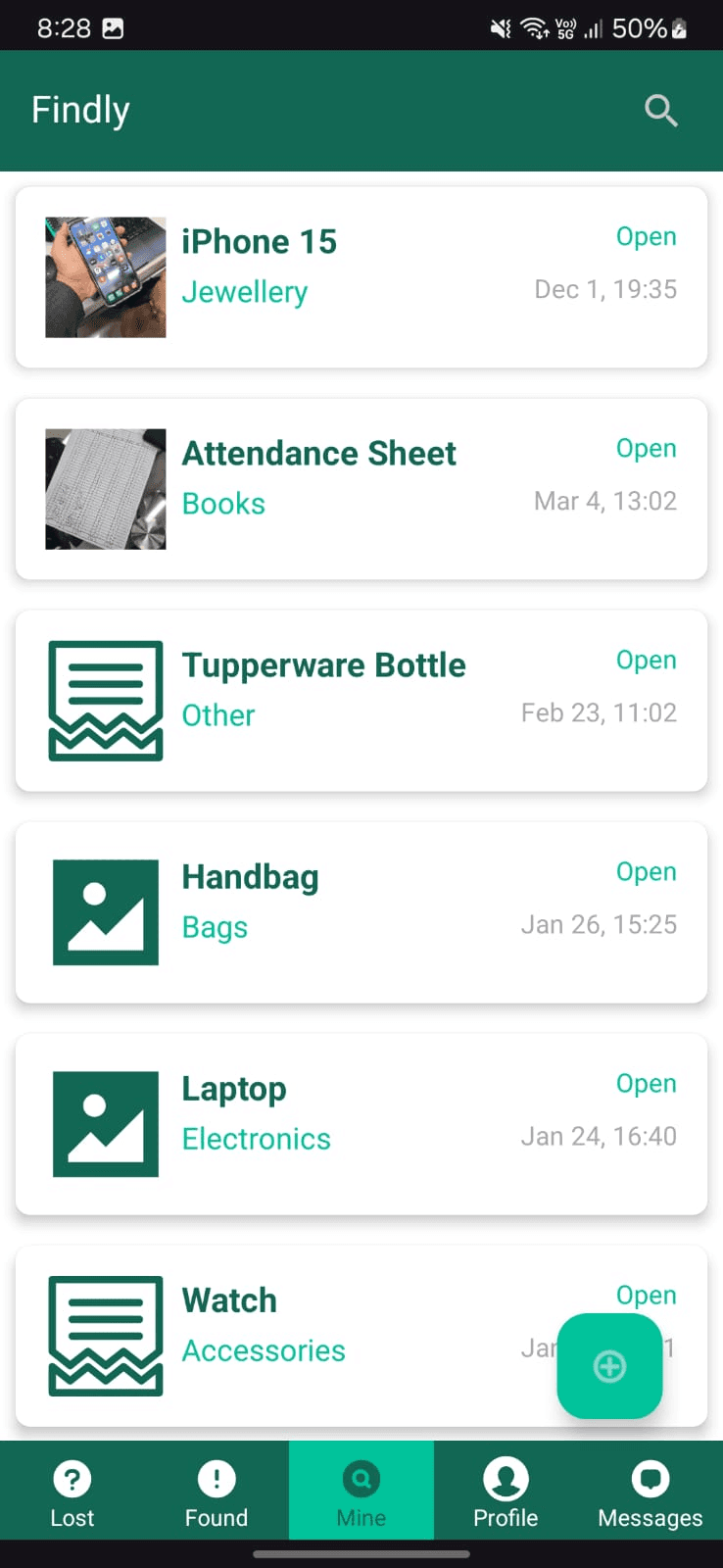
The Lost feed, with each item's category, status and when it was posted.
Features
Instant Item Updates
The feed of lost and found items updates live, so new posts and changes to existing ones show up right away.
In-App Chat
Two people can chat privately inside the app to talk through an item and arrange to return it.
Camera and Gallery Integration
You can attach photos to listings and set a profile picture straight from the camera or the photo gallery.
Secure Contact Sharing
From inside a chat you can share your phone number, your email or both, so your contact details only go to the person you're talking to.
Lost, Found & Mine Tabs
Listings are split into Lost, Found and Mine, where Mine holds your own posts, and each tab has its own search.
Key Responsibilities
- Designed, built and maintained the Android app.
- Structured the Firebase Realtime Database that stores user profiles, item listings and chat messages.
- Wrote custom sign-up and login flows and session handling, and made sure users can only see and change their own data.
- Built photo capture and selection, with uploads to and downloads from Firebase Storage.
- Built the layouts, navigation and on-screen feedback in XML and Java.
Additional Information
- I made this for my Advanced Mobile Programming course. It took 3 weeks and was done 3 months before our evaluation.
- The idea came from dealing with our campus lost-and-found, which was badly run. I wanted to replace the messy lost-and-found boxes with an app.
- Our professor liked it enough that there was some talk of making it the official lost-and-found system for the whole campus.
- I thought about adding Google Maps to show where items were lost, AI image matching between lost and found posts, and push notifications for categories you follow, but left them out of the first release to get the main features working first.
- Since I was working alone, I went with Firebase for the backend because its real-time features covered the live feed and chat. It needed a credit card, but it saved me from setting up servers, so I could spend my time on the app's UI and logic. It ended up being the only project in our batch with a real server backend.
- I couldn't get Firebase Authentication working, so I wrote my own login system on top of Firebase with traditional encryption. The GitHub release doesn't include it, and passwords there are stored in plain text.